


Cost Control · ProjectVIEW ERP
Project cost control software
Project cost control software compares what a project should cost with what it actually costs, while the work is still in progress. It tracks budget, commitments, actual cost and progress, and then forecasts the cost to complete. In ProjectVIEW ERP, cost control runs on the BoQ ↔ WBS ↔ Cost Codes framework, so time, cost and progress share one structure.
Key Features
- Associate BoQ ↔ WBS ↔ Cost Codes
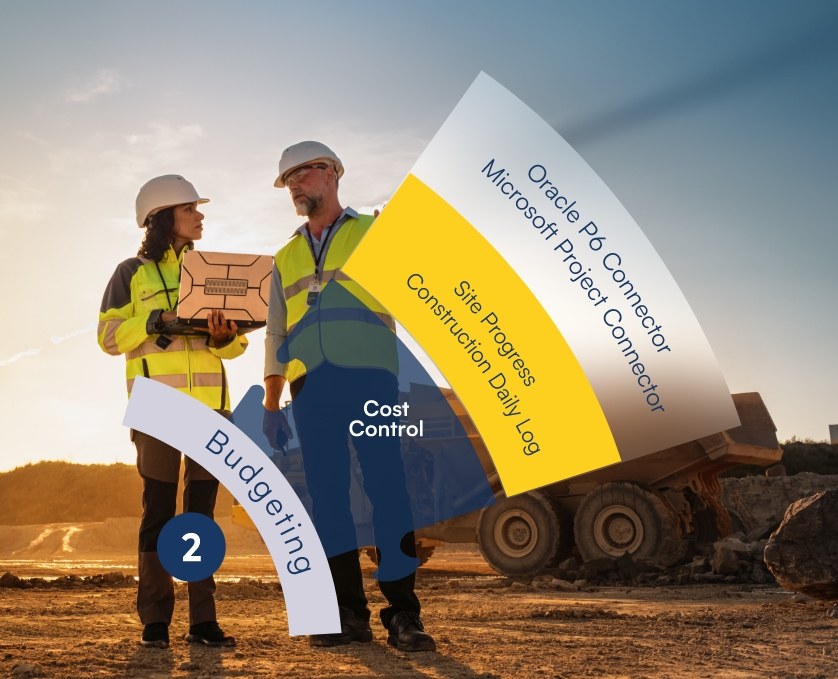
- Seamless Integration with Oracle P6/MS Project
- Multi-Projects Cost Control & Cashflow Management
- Resources Allocation/Scheduling/Management
- BoQ Weight Percentages - Project Management KPIs
- Cost Management multi-level drill-in Analysis
- Multiple BoQ/WBS Versions/Claims & Variations
- Capture real site data for Progress, Labor, Plant, Subcontractors
- Materials consumption (SIR - MRF)
- RFI Process - Revenue Management
- Actual vs Budgeted Cost based on EV
Cost Control · ProjectVIEW ERP
See Cost Control in action
Cost Control
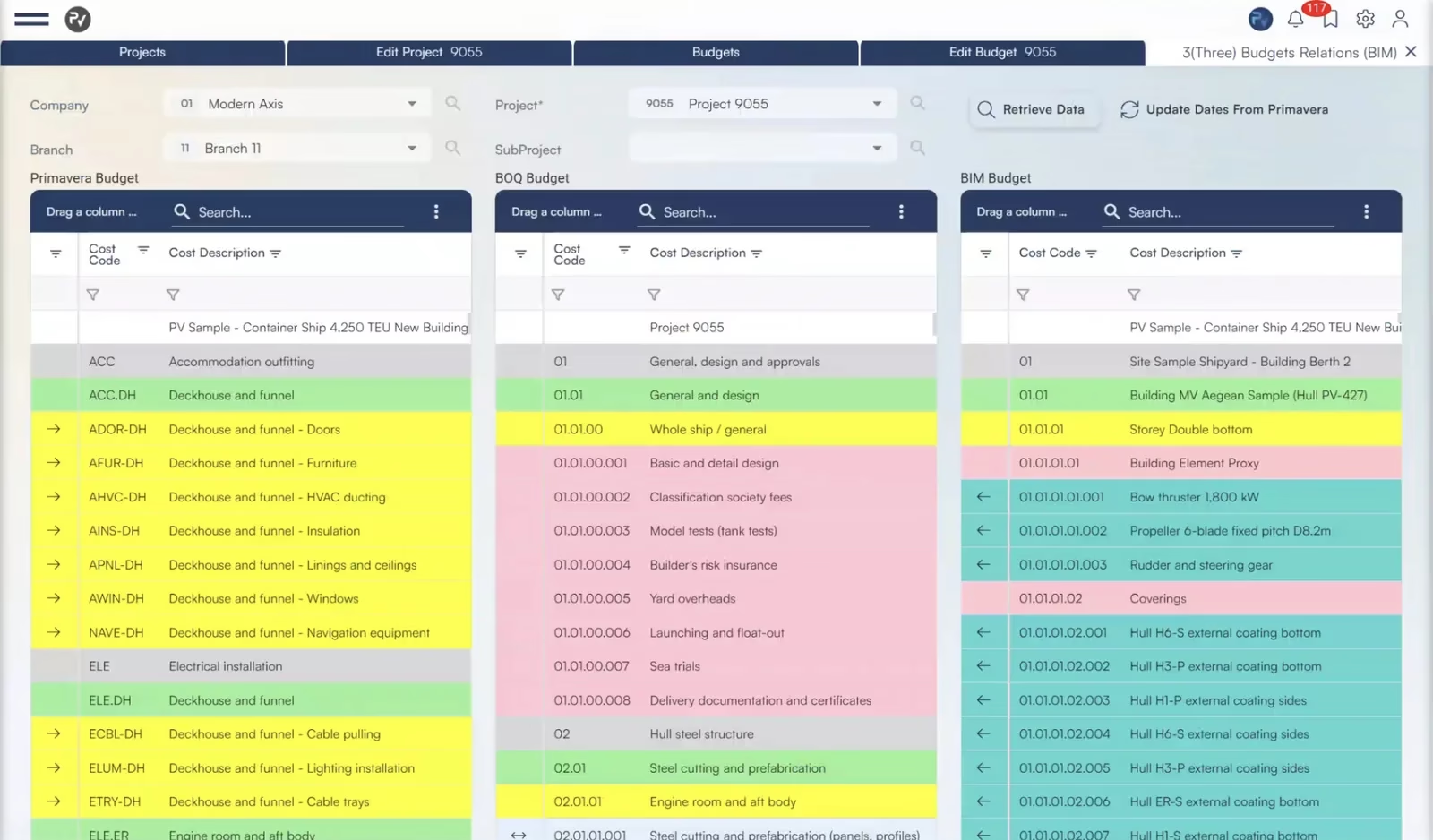
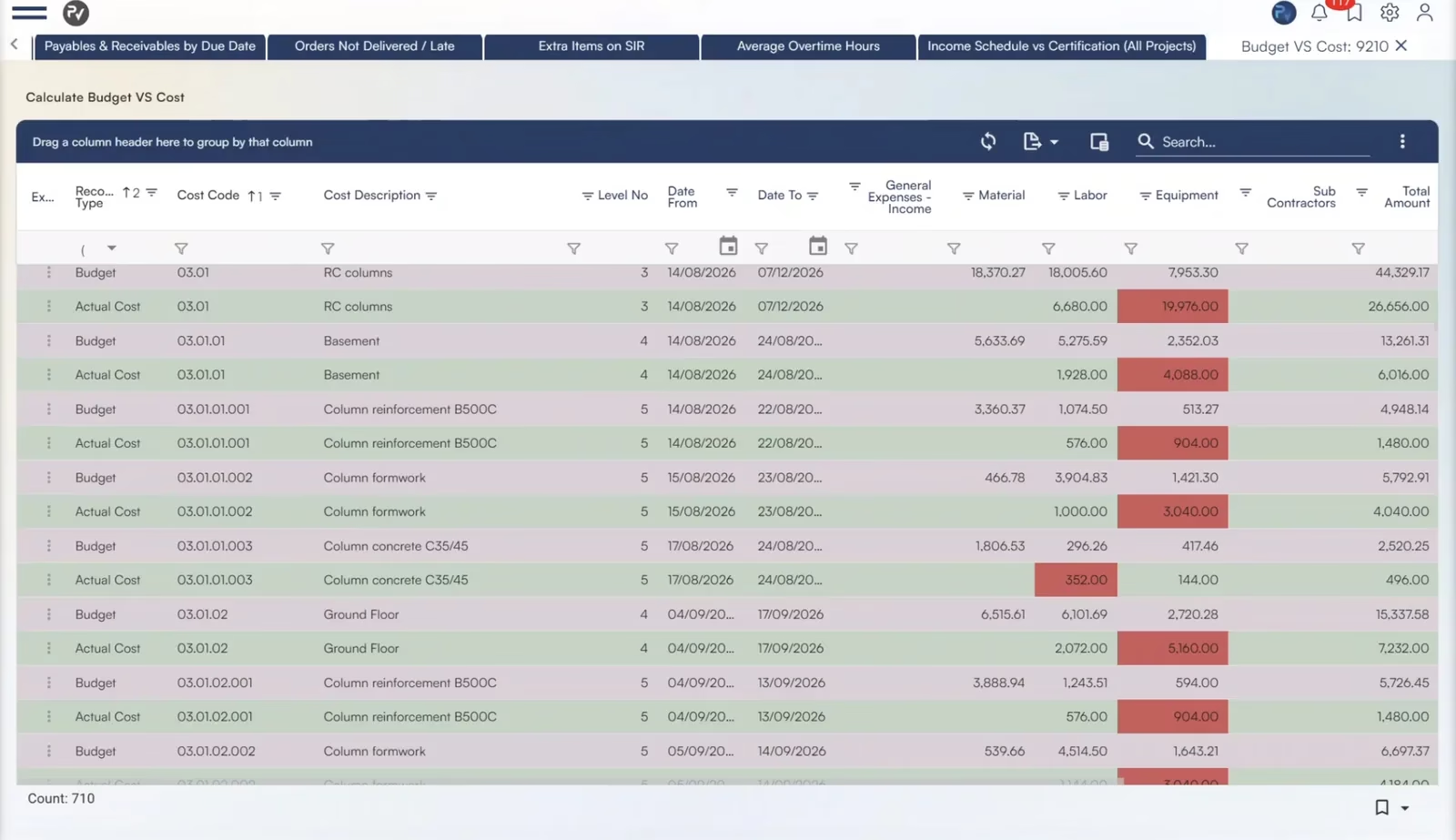
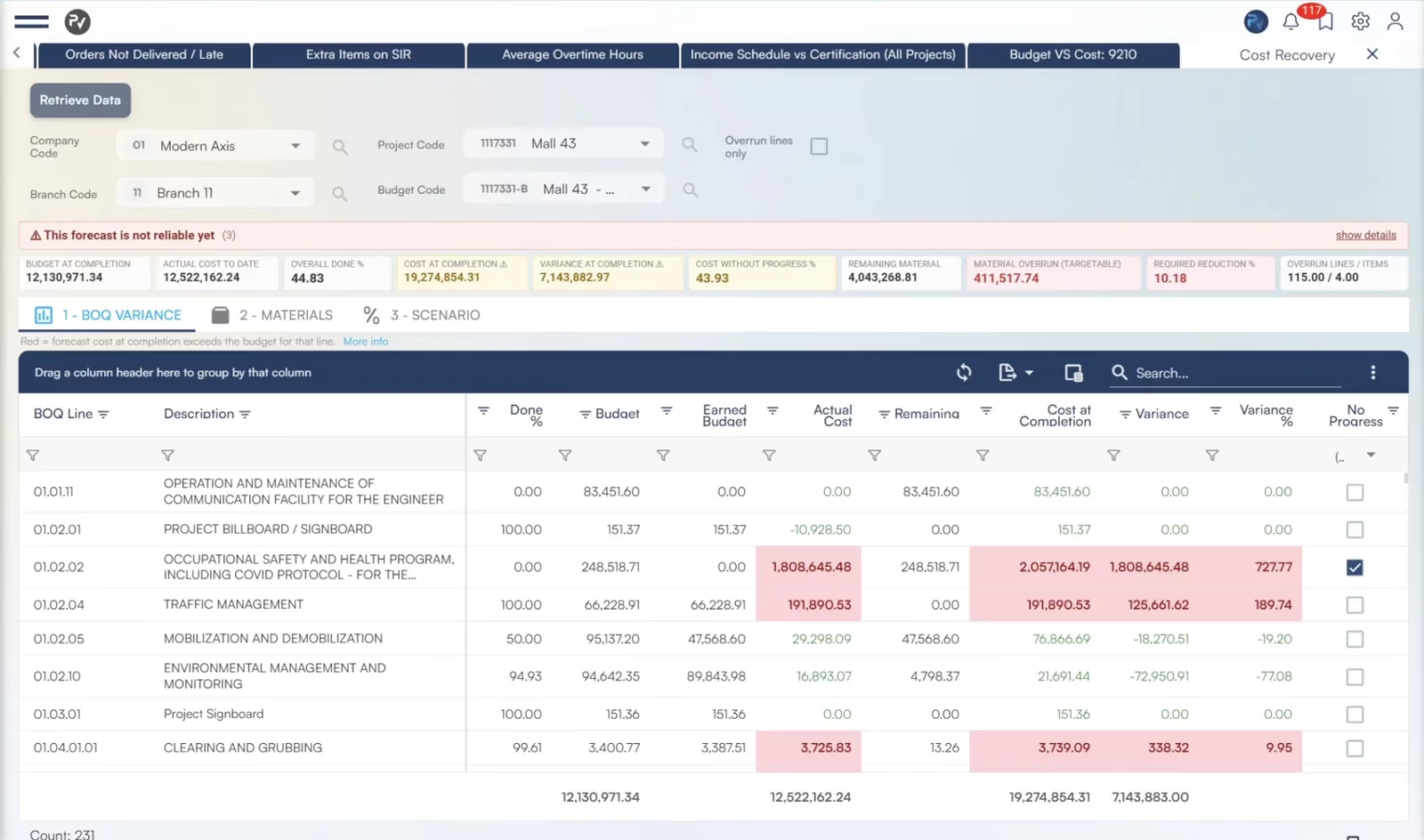
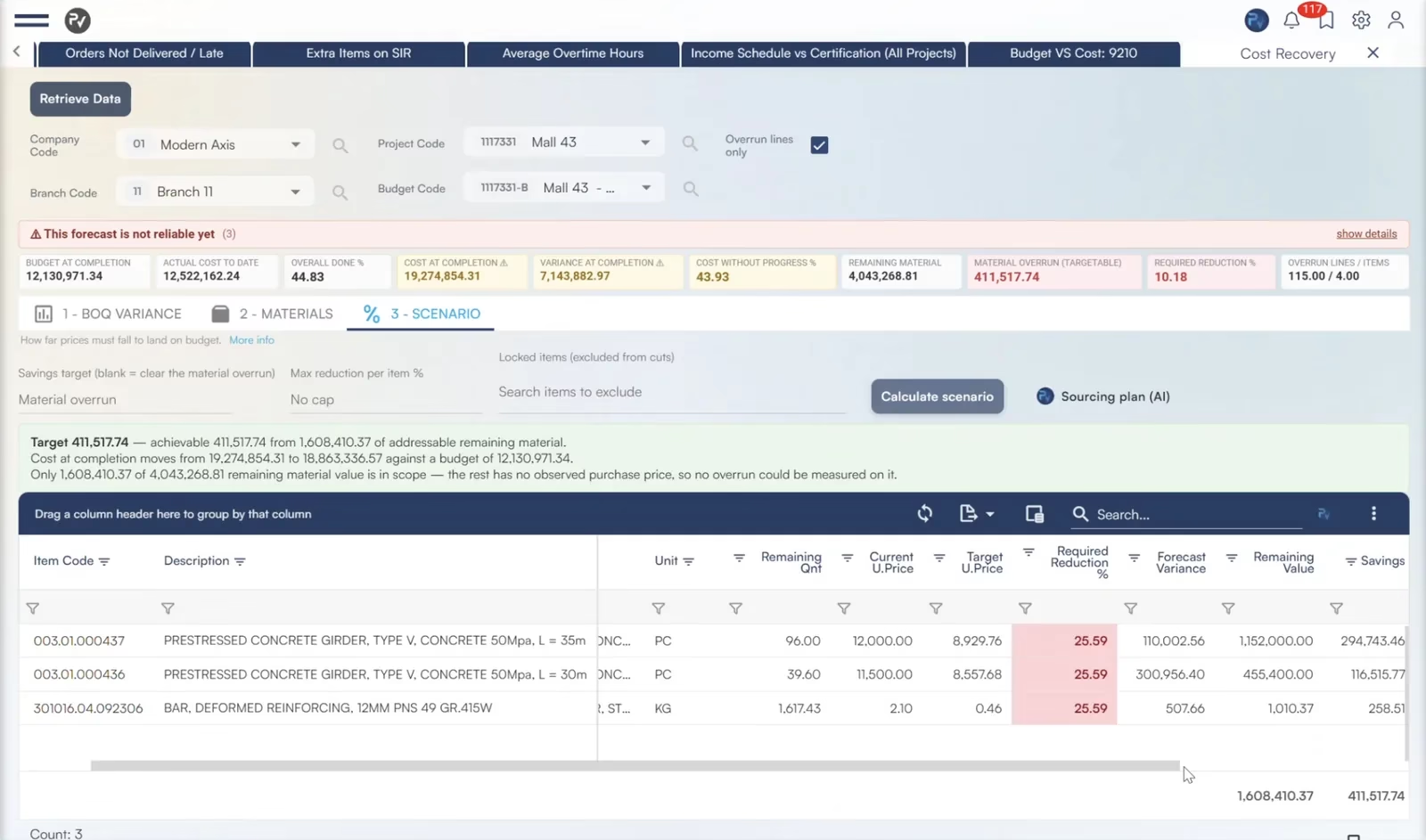
Control cost on the BoQ ↔ WBS ↔ Cost Codes framework. The BoQ budget, the Primavera P6 schedule and the BIM budget link line by line through cost codes. Actual cost from site and yard is compared to the budget in real time.
- Three budgets linked: BoQ, schedule (WBS) and BIM
- Actual vs budgeted cost per resource in real time
- Site progress and daily logs update earned value (CPI, SPI)
BIM 4D/5D and schedule connectors
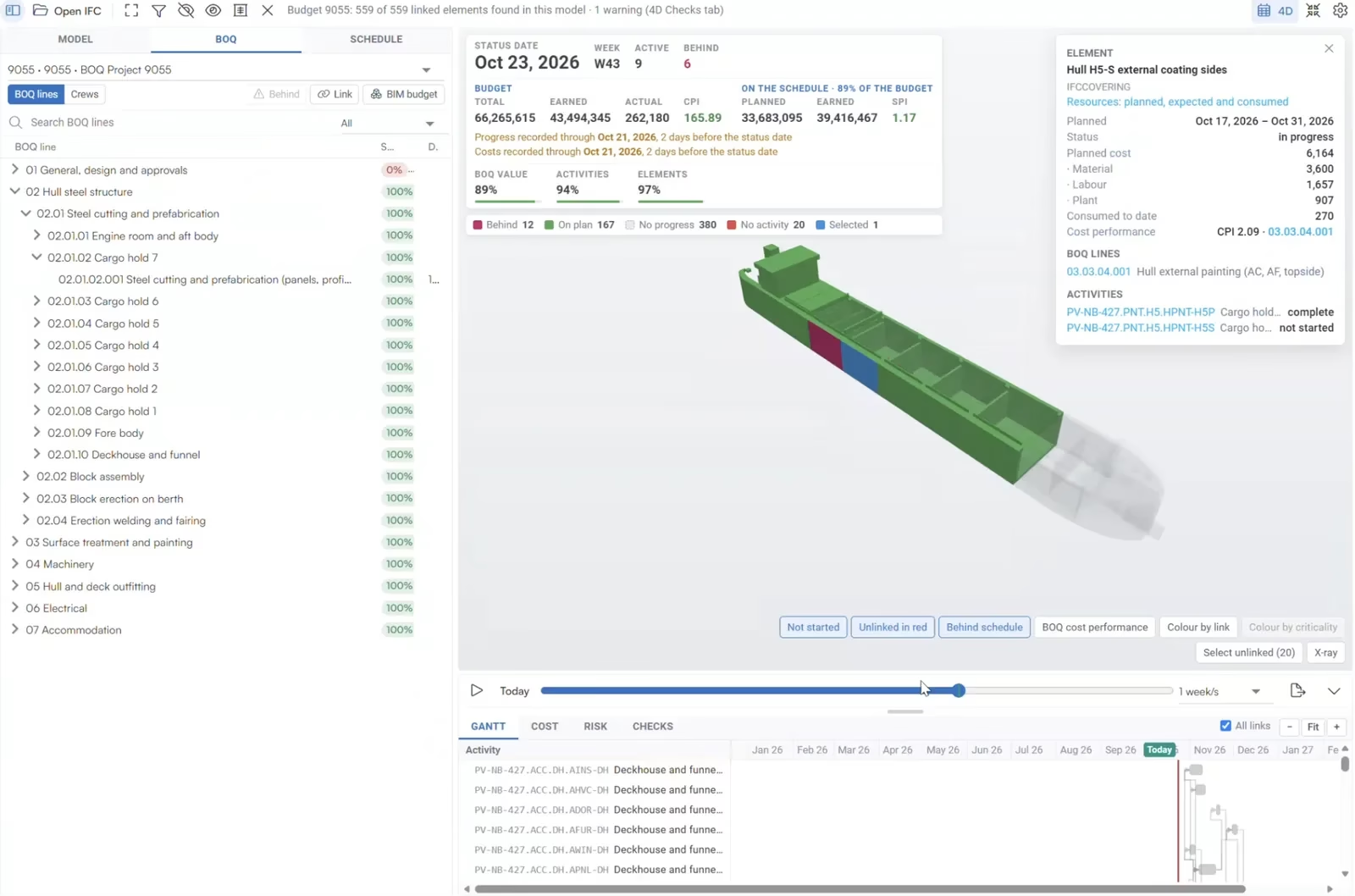
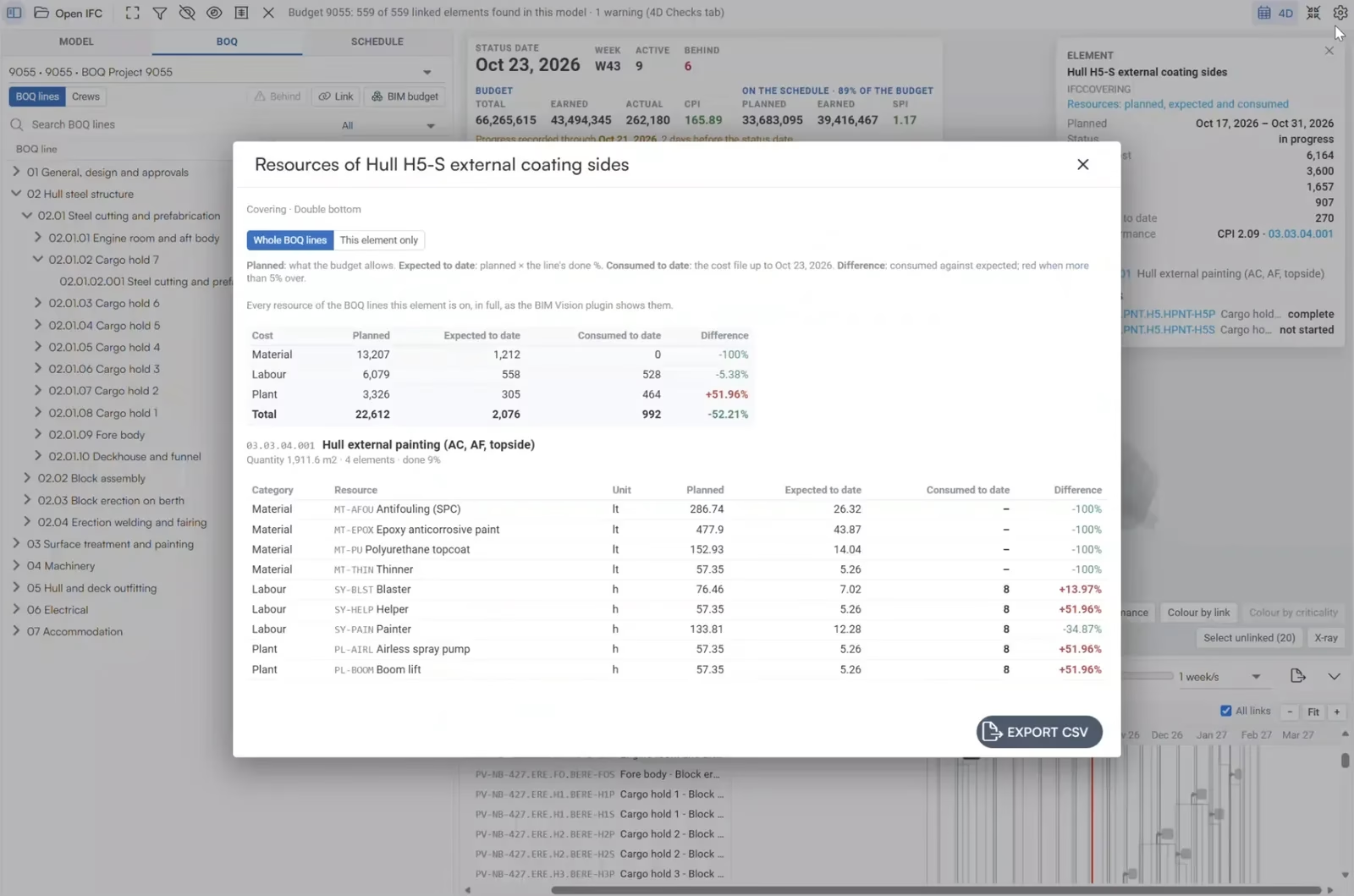
See progress and cost on the 3D model. Each BIM element links to its BoQ lines and schedule activities, so the model shows what is behind schedule or over budget. Native two-way connectors keep Primavera P6 and Microsoft Project dates in sync.
- 4D/5D model coloured by progress and cost
- Planned, expected and consumed resources per element
- Two-way connectors with Oracle Primavera P6 and MS Project
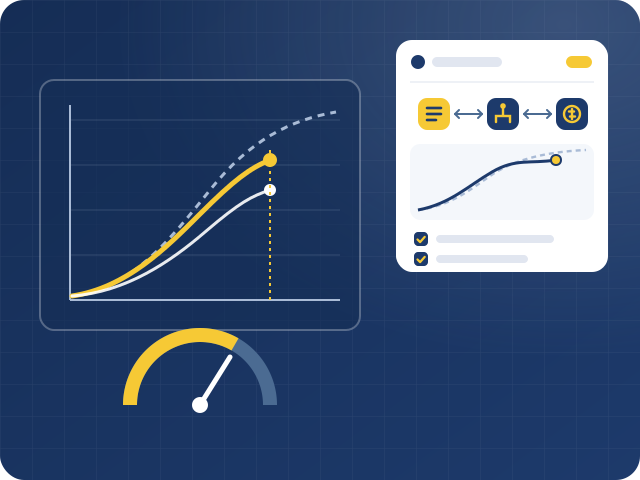
What is project cost control software?
What ProjectVIEW Cost Control contains
- Cost budget: BoQ items map to internal cost codes, so the client BoQ budget and the cost budget stay linked.
- Primavera P6 and MS Project connectors: BoQ items link to WBS activities with resources, cost and duration, in both directions.
- Site progress app: engineers record progress as quantity or percentage against BoQ, WBS or cost code.
- Cost consolidation: labor, materials, plant and subcontract costs from site and office post automatically.
- Earned Value Management (EVM): CPI, SPI, EAC, VAC and other KPIs per project, area and cost code.
- Forecasting: budget versions and best, base and worst-case scenarios show the cost at completion.
- Change management: multiple BoQ and WBS versions, claims and variations.
Why it matters in project-based ERP
- Early warning: over- and under-budget variances appear while there is still time to act.
- One truth for time and cost: the schedule and the budget use the same BoQ ↔ WBS ↔ Cost Codes links.
- Drill-down to the cause: go from a project variance to the BoQ item and the resource behind it.
- Revenue in step with cost: requests for inspection link site progress to client billing.
Site apps, add-ons and AI
- Site daily log: digital records of daily site operations.
- Request for inspection (RFI): engineers notify the client when work is ready for inspection.
- Cost Control & Forecast AI Agent: runs Monte Carlo analysis to estimate the cost to complete and to size risk mitigation cost.
FAQ: project cost control
What is project cost control?
It is the process of comparing planned cost and progress with actual cost and progress, and then acting on the variance. Good cost control also forecasts the final cost before the project ends. It serves construction, shipbuilding and repair, marine and offshore, mining and quarrying, and project-based manufacturing companies.
How does ProjectVIEW ERP link cost to the schedule?
Each BoQ item links to WBS activities in Primavera P6 or MS Project and to internal cost codes. As a result, progress, time and cost are measured on one structure.
Which EVM indicators does ProjectVIEW ERP report?
It reports BCWS, BCWP and ACWP, together with CV, SPI, CPI, BAC, EAC, VAC and TCPI. Each user can personalize these reports.
How do I use earned value to forecast final construction cost?
Start with earned value and actual cost measured against the same scope and reporting date. If the project’s cost efficiency to date is likely to continue, divide the approved budget at completion by the Cost Performance Index (CPI) to estimate final cost.
For example, if the approved budget is $10 million, planned value is $5 million, earned value is $4 million and actual cost is $5 million, CPI is 0.80. Under that assumption, the Estimate at Completion is $12.5 million. Check that measured progress and posted costs cover the same period and scope. If the remaining work has a different cost profile, estimate that work separately and add it to actual cost.
Where does actual cost come from?
Actual cost comes from the other modules. Material issues, labor hours, equipment use and subcontractor certificates post to the same BoQ items and cost codes automatically, so there is no double entry.
How do unapproved variations affect project margin and cash flow?
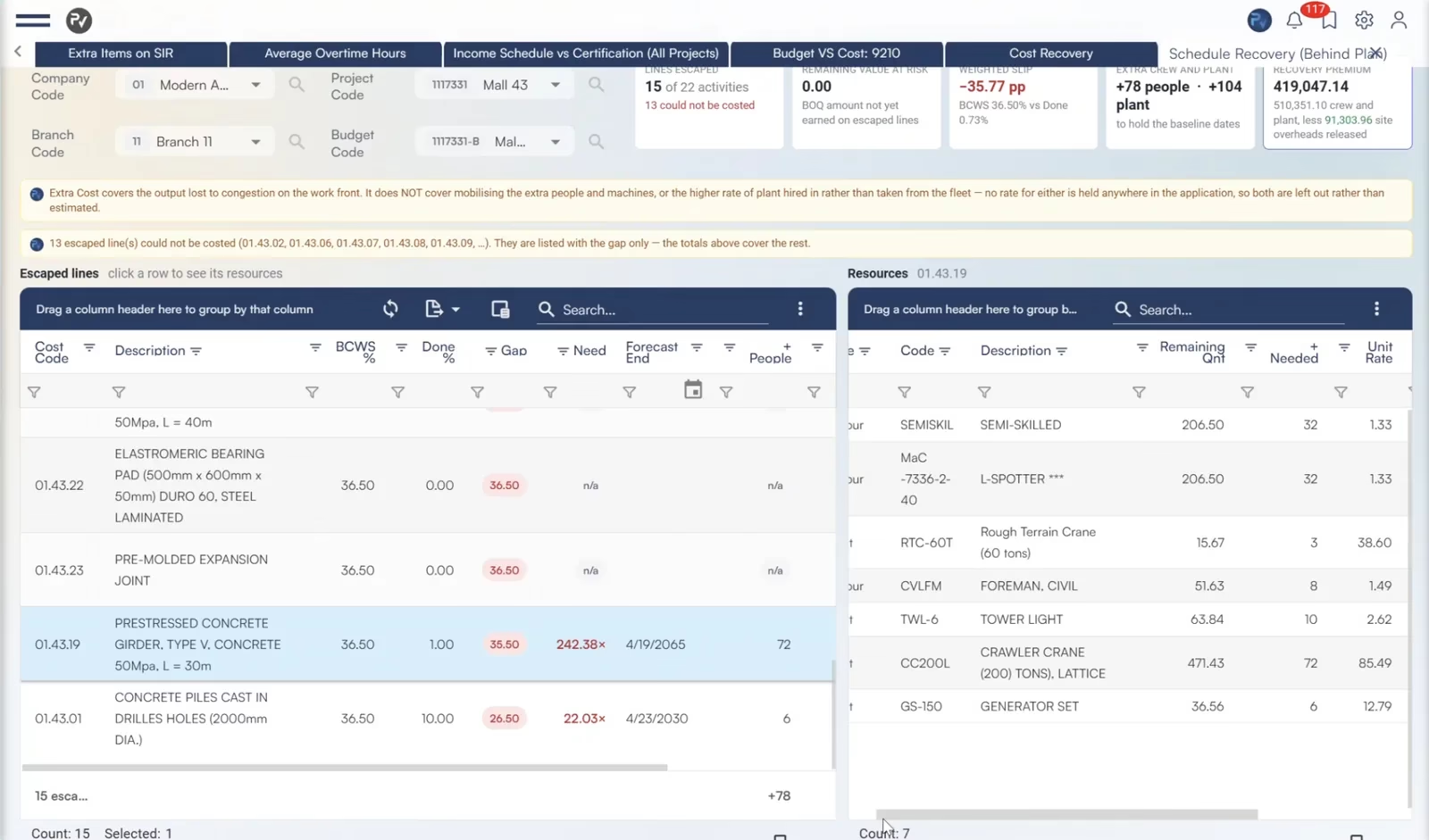
Update forecast cost using measured site performance. At Bridge Pier 1, the groundwater sub-BoQs and cost recipes show what pumping, drainage and other added work have cost and what remains to be spent. For the utility pipe, the affected WBS activity shows how standby and resequencing affect cost and timing. Linked method statements, drawings, inquiries and approvals explain what changed and what decisions are pending.
At each reporting date, separate the forecast cost of completing the work, the recovery expected and when payment could arrive. Use the BoQ and WBS links to trace each revision to the measured work or delay and its evidence. Update the forecast as approvals and measurements come in and compare it with the current approved baseline. Apply company accounting policy to determine what to recognize.
How do we connect field reporting to ERP and finance?
Record site progress and resource use against the same work that project controls and finance track. Use the bill of quantities (BoQ) item for scope, the work breakdown structure (WBS) activity for the schedule and the cost code for reporting. ProjectVIEW captures progress, labour, equipment and subcontractor work, with actual costs coming from the relevant operational modules.
At Bridge Pier 1, the baseline allows one month and US$1,000 to excavate 1,000 m³. If 500 m³ are scheduled by the end of week two, the budget for that quantity is US$500. If the site excavates 500 m³ but the labour, machinery and other resources used cost US$650, the team meets the quantity target and spends US$150 more than budgeted for that work. Linking the BoQ and WBS to actual resource costs shows quantity, time and cost together. A 50% progress entry alone would miss the cost variance.
What should job-costing software track across multiple construction projects?
Track labour, materials, equipment and subcontracts, as well as indirect expenses such as site supervision, temporary facilities and shared overhead. Record costs by project and cost code, and link them to the BoQ item and WBS activity where applicable. Allocate shared expenses consistently so teams can compare budgets, commitments and actual costs and trace variances to the underlying transactions.
How do I forecast final project margin before completion?
Subtract forecast final cost from expected contract revenue. Compare with the tender margin and explain changes in approved contract value, resource rates, productivity and remaining quantities. Show potential recoveries from unapproved variations and disputed claims in separate scenarios so management can compare outcomes with and without recovery.
What is the difference between committed, actual and forecast costs?
A commitment is an obligation such as an approved purchase order. Actual cost is the cost already recorded for the project. Forecast final cost combines actual cost and the expected cost of finishing the work. For a steel order, record the commitment at approval, record deliveries on receipt and match the invoice against the order and receipt. Include only the remaining expected cost of the order in the forecast alongside steel still needed that has yet to be ordered.

Speak to our experts
If you have any questions or need more information regarding the solutions we offer, please fill in our contact form, and a member of our team will get in touch with you as soon as possible.
